Airalo: eSIM for travel & data
- 4.6
- Rating
- 10.00M
- Installs
- Free
- Price

 Analysis by App-foxy
When I travel, the first thing I want after landing is a working data connection. I do not want to search for a local shop, compare unfamiliar mobile plans, or discover that my usual SIM has turned into an expensive roaming bill. Airalo approaches that problem through eSIMs, and after using the app, I found it most useful as a preparation tool: choose a destination plan before leaving, install the digital SIM when appropriate, and arrive with a clearer path to getting online.
Airalo is a free Travel & Local app from Airalo, aimed at people who need mobile data while abroad. It has a 4.4 average from around 152 thousand ratings, more than 10 million installs, and an Everyone age rating. Those figures suggest that it is no longer a niche travel utility, but popularity does not remove the need to check whether your phone, destination, and travel habits match the way eSIM service works.
How Airalo feels in its current form
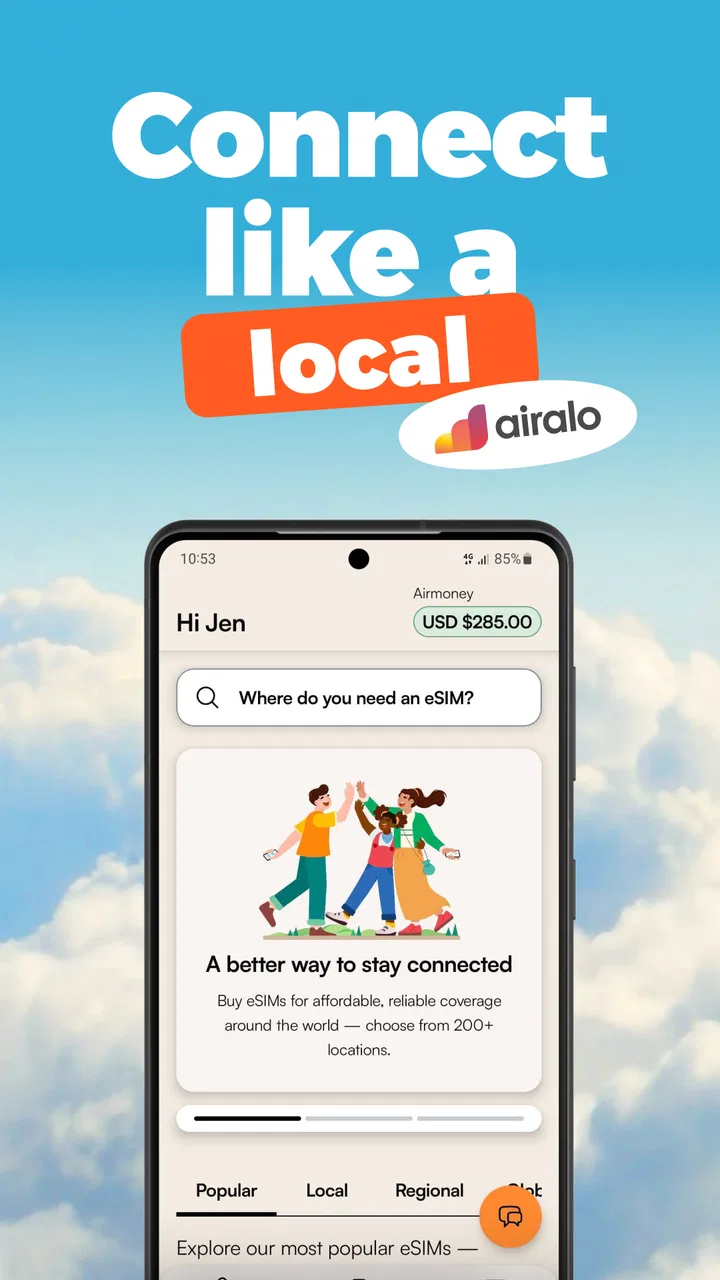
The central experience is straightforward. I open the app, look for a country or region, select an available eSIM plan, and follow the installation instructions. The important distinction is that this is not simply an app that gives me internet by itself. The app helps me obtain and manage an eSIM, while the phone uses that eSIM to connect to a mobile network. That difference matters because a successful purchase does not automatically mean the connection is ready in every situation.
You May Also Like

 AccuWeather: Weather Radar
AccuWeather Review: A Quick, Clear Forecast for Everyday Decisions
For everyday plans, the best forecast is the one you can understand quickly. AccuWeather makes rain timing, radar, and local conditions easy to act on, with a few trade-offs.

 Hill Climb Racing
Why Hill Climb Racing Still Turns Crashes Into One More Run
A tiny car, a bumpy hill and one more upgrade: Hill Climb Racing keeps resurfacing because its simple chaos makes every near-miss feel personal.

 AliExpress - Shopping App
AliExpress Makes Global Shopping Feel Personal, but Shoppers Bear the Risk
AliExpress turns a global marketplace into a pocket-sized discovery engine. Its reach is useful, its shopping loop compelling, and its trade-offs easy to miss.

 Lords Mobile: Kingdom Wars
Lords Mobile Is a Kingdom-Building Routine, Not a Quick Match
A case-by-case verdict on the building, battles, device demands, and social commitments that make Lords Mobile rewarding for some players and exhausting for others.

 PDF Scanner app - TapScanner
TapScanner Makes Paperwork Easier to Capture, Check, and Share
TapScanner makes scanning with a phone feel less like a rescue operation and more like a dependable step in getting work done. Its capture tools are useful, though not flawless.

 Block Blast!
 Shows How Much a Puzzle Game Can Leave Out
A quiet grid game shows why puzzle players increasingly value instant clarity, repeatable skill and low-pressure play—and where the genre still needs to catch up.
More From Our News Desk
View All News


For a short holiday, this can be much less disruptive than buying a physical SIM at an airport. I can keep my regular SIM available for calls or text messages, depending on my phone and carrier setup, while using the travel eSIM for data. I especially like this arrangement when I need maps, translation, ride-hailing, messaging, and travel confirmations as soon as I arrive.
The app is also useful for travelers who visit several countries. Instead of changing a small plastic card every time a border is crossed, I can think in terms of a destination or regional plan. That does not automatically make a regional option the best value, but it makes the planning process easier and reduces the chance of losing my main SIM during a busy trip.
Airalo was released on October 9, 2019, and the current version is 2.14.2. Those details place the app in a more mature stage than a brand-new travel experiment. In practical terms, I would expect a service with an established purchasing and installation flow, while still treating the exact behavior of a plan as something to read carefully before tapping buy.
The setup is simple, but the phone settings still matter
The smoothest workflow begins before departure. I first check whether my phone supports eSIM and whether it is unlocked for use with another carrier. I then install the plan while I have reliable Wi-Fi, rather than waiting until I am standing outside an airport with a weak connection and a low battery. This is one of the most useful habits I developed with the app: prepare the digital part at home, but avoid activating anything earlier than necessary if the plan’s validity depends on activation.
After installation, the phone may ask me to choose which line handles mobile data. I also check data roaming settings for the travel line and make sure my primary line is not quietly using expensive roaming data. The exact menus differ between Android and iPhone, so Airalo can guide the process, but it cannot make every handset interface identical.
That is the first non-obvious trade-off. The app reduces the hassle of finding a SIM, but it does not remove the responsibility of understanding dual-SIM settings. A traveler who installs the eSIM correctly and then leaves the wrong line selected for data may think the service failed when the real problem is the phone configuration.
A realistic arrival-day scenario
Imagine arriving in a new city after a long flight. I switch off airplane mode, select the travel eSIM for mobile data, and wait for the phone to register on a supported network. I can then open a map, message the person meeting me, check a reservation, and order transport without visiting a kiosk. If the connection does not appear immediately, I would first verify the selected data line, the eSIM toggle, and the relevant roaming setting before assuming the plan is unusable.
This workflow is particularly valuable when the airport is crowded or when I arrive outside normal shop hours. It also helps when I am traveling with only hand luggage and do not want to spend the first part of the trip comparing local offers. The convenience is less dramatic for someone staying in one place for a long time, where a local carrier’s physical SIM or regular monthly plan may provide a better fit.
What has changed and what that means for travelers
The current version, 2.14.2, is the clearest verified marker of the app’s present state. I would treat it as evidence that the product is being maintained, not as proof that every destination has identical coverage or that every installation will be effortless. Travel connectivity depends on the selected plan, the destination, the handset, and the networks available there, so an app update cannot make those variables disappear.
For an existing user, the practical effect of a current app version is mainly confidence in using the latest available purchasing and management experience. I would still update before a trip, sign in while connected to Wi-Fi, and review the plan details again instead of relying on memory from a previous journey. An eSIM that worked well in one country is not automatically the right choice for another.
The product’s evolution is easier to appreciate when I compare it with the old airport-SIM routine. A physical SIM purchase often involves waiting, showing identification where required, finding a compatible size, and storing the removed SIM safely. Airalo moves much of that work into the phone. The benefit is speed and flexibility; the cost is that setup becomes more digital and slightly less tangible.
Compared with roaming from my home carrier, the app can make travel data feel more controlled because I choose a travel-specific plan rather than leaving everything to my usual provider’s roaming terms. However, roaming has one major advantage: it may require no installation at all. If I value absolute simplicity, need my normal number to behave exactly as it does at home, or have a phone without eSIM support, my carrier or a local SIM may be the better answer.
Compared with buying a local physical SIM, Airalo is usually more convenient for short trips and multi-country itineraries. A local SIM can be preferable for extended stays, heavy data use, a local phone number, or access to a plan designed for residents rather than visitors. I would not choose an eSIM solely because it is modern; I would choose it when the digital installation and travel flexibility are worth more to me than the possible advantages of a local plan.
How I would prepare a plan before buying
I would not start by choosing the cheapest-looking option. First, I would identify how long I am away, whether I am visiting one country or several, and what I actually do on mobile data. Navigation and messaging are light compared with video, cloud backups, hotspot use, and frequent uploads. A plan that looks sufficient for maps may feel restrictive if I use my phone as a laptop connection.
I would also read the plan information for its coverage area, validity rules, and any stated limits before purchasing. The app can present the options, but the decision still belongs to me. This is an important distinction for first-time users: Airalo is a marketplace and management layer for travel eSIMs, not a guarantee that every plan behaves the same way.
One useful workflow is to download offline maps and important travel documents before leaving. That reduces pressure on the eSIM and gives me a backup if the network is slow during the first few minutes after arrival. I also keep the eSIM details accessible inside the app and in my travel notes, because troubleshooting is easier when I know which plan I bought and which line I intended to use.
Another practical tip is to separate data use from automatic background activity. I review photo backup, app updates, and video autoplay before the trip. This is not an Airalo feature, but it directly affects how far a travel data plan lasts. The app can help me acquire connectivity; it cannot stop every other app from consuming it unless I configure the phone appropriately.
Where the experience can become frustrating
The biggest weakness is the number of moving parts. There is the Airalo account, the purchased eSIM, the phone’s eSIM support, the phone’s carrier lock status, the selected data line, roaming settings, and the destination network. When everything aligns, the process is convenient. When one setting is wrong, it can be difficult for a nervous traveler to identify the cause.
Installation also deserves more attention than a normal app download. Installing the application and installing an eSIM are separate steps. I would not wait until I need service to discover that my phone cannot add another eSIM, that the device is locked, or that I need Wi-Fi for part of the setup. The best experience comes from treating the purchase as trip preparation rather than an emergency fix.
There is also a behavioral limitation. Travelers often assume that mobile data automatically means ordinary phone service. An eSIM plan may solve internet access while leaving questions about voice calls, text messages, and the identity attached to the phone’s primary number. For my trips, messaging apps and internet calling are usually enough, but someone expecting a local telephone number should examine the plan carefully and compare it with a local carrier option.
Support expectations should be realistic too. A travel app can help explain installation, but network registration may still depend on the local carrier and the handset. If I were traveling for an important event, I would carry offline directions, keep hotel and transport details available without internet, and avoid making the eSIM my only form of communication. That is sensible preparation, not a criticism unique to Airalo.
Who will get the most from it
I think Airalo is strongest for short-term travelers who want data soon after landing, people visiting more than one country, and users comfortable adjusting dual-SIM settings. It is also a good match for anyone who dislikes handling physical SIM cards or wants to keep a primary SIM installed while adding travel connectivity.
It is less convincing for someone staying abroad for months, using very large amounts of data, needing a local number, or carrying an older phone without eSIM support. It may also be the wrong choice for a traveler who does not want to troubleshoot phone settings. In those cases, a local carrier shop can provide more hands-on help, while a home-carrier roaming package may be easier for someone who values continuity over price or flexibility.
The free download and Everyone rating make the app approachable, but the service decision is not simply about downloading it. I would compare the available plan with my expected use and the alternatives at my destination. “Affordable” is only meaningful when the allowance, duration, coverage, and convenience match the trip I am actually taking.
What I would watch before relying on it
My main focus would be the clarity of plan information and the installation guidance. As eSIM travel becomes more familiar, the best experience will come from making the difference between buying, installing, activating, and connecting impossible to misunderstand. These stages are related, but they are not identical, and travelers often encounter trouble when they treat them as one action.
I would also watch how well the app helps returning users manage several eSIMs. Frequent travelers can accumulate profiles for different destinations, and the challenge eventually shifts from obtaining a plan to remembering which profile belongs to which trip. Clear labeling and careful phone settings become increasingly important as the number of saved profiles grows.
For my own use, I would keep the app updated, prepare on Wi-Fi, save essential information offline, and test the selected data line after landing. I would not delete my primary SIM, and I would not assume that a plan bought for one destination automatically covers a neighboring country. Those small decisions prevent the most avoidable mistakes.
After reviewing the current experience, I see Airalo as a practical travel companion rather than a complete replacement for every mobile option. Its real strength is reducing the physical and logistical friction of getting online abroad, especially on short trips and multi-country journeys. Its real weakness is that eSIM setup still requires attention from the user.
For me, that balance is worthwhile. If my phone supports eSIM, I am comfortable checking a few settings, and I mainly need travel data, I would recommend giving Airalo a serious look before departure. If I need a local number, long-term service, unusually heavy data use, or hands-on setup, I would compare it with a local SIM or my regular carrier instead. The app makes international connectivity easier, but the best result still comes from choosing the right tool for the trip rather than assuming one option fits every traveler.
FAQs for Airalo: eSIM for travel & data
01What is Airalo and how does it work?
Airalo is a mobile app that provides eSIMs for travelers, allowing users to access mobile data in different countries without the need for physical SIM cards. Once you download the app, you can purchase and install an eSIM directly to your device, enabling you to connect to local networks at affordable rates.
02Is my device compatible with Airalo's eSIMs?
Airalo's eSIMs are compatible with most modern smartphones that support eSIM functionality. This typically includes recent models from brands like Apple, Samsung, Google, and Huawei. To ensure compatibility, check your device settings or consult your device's manual to verify eSIM support.
03How do I purchase and activate an eSIM through Airalo?
Purchasing an eSIM via Airalo is straightforward. After downloading the app, browse available eSIM plans by country or region. Once you select a plan, you can purchase it using various payment methods. Activation is also simple—just follow the on-screen instructions to download and install the eSIM on your device.
04What are the benefits of using Airalo compared to traditional SIM cards?
Airalo offers several advantages over traditional SIM cards. It eliminates the need to swap physical SIM cards when traveling, provides instant access to local data plans, and offers competitive pricing without hidden fees. Additionally, it saves time and effort by allowing seamless activation from your device.
05Are there any limitations or restrictions with Airalo's eSIM service?
While Airalo provides extensive coverage, it's important to check the specific data plans available for your destination, as some regions may offer limited options. Also, data speeds can vary depending on the local network infrastructure. Always review the terms and conditions of each plan to understand any usage restrictions.
Pros
- Global coverage with numerous supported countries.
- Instant eSIM activation for quick setup.
- Affordable plans tailored for various needs.
- User-friendly interface for easy navigation.
- No need for a physical SIM card swap.
Cons
- Limited support for certain older devices.
- Data speeds may vary by location.
- No voice or SMS functionality included.
- Requires internet access for initial setup.
- Customer support can be slow to respond.

Airalo: eSIM for travel & data
Gallery